How Ghanaian Businesses Can Accept Mobile Money Payments Online
Mobile Money is how Ghana pays. Here is how to let customers, parents and members pay you through your website or app…
Read article
You do not need a big IT department to protect student, member and customer data. Start with these practical, low-cost security habits.
 GetIntoTech Team
2 min read
GetIntoTech Team
2 min read
As schools, churches and small businesses move records online, they also take on responsibility for keeping that data safe. A lost laptop, a weak password or a convincing phishing message can expose student records, salaries or customer details. The good news is that most incidents can be prevented with a few consistent habits.
Ghana's Data Protection Act, 2012 (Act 843) sets out how organizations should collect, use and protect personal information, and established the Data Protection Commission. If you hold personal data about students, members, staff or customers, take time to understand your obligations and, where required, register with the Commission. When in doubt, seek qualified legal advice.
Role-based access means a class teacher sees their students but not payroll, and a sales officer sees customers but not company accounts. When staff leave, remove their access the same day.
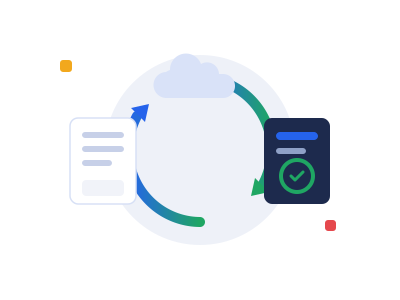
Follow the simple 3-2-1 rule: keep three copies of important data, on two different types of storage, with one copy off-site or in the cloud. A backup you have never restored is only a hope, so test recovery a few times a year.
Updates fix security holes. Turn on automatic updates for computers, phones, browsers and website software, and remove programs you no longer use.
Many attacks begin with a message that looks like it is from a bank, a supplier or the head of the organization, urging someone to click a link or send money. Teach staff to pause, check the sender, and confirm unusual requests by phone.
Decide in advance who to call, how to secure accounts and how to inform affected people if something goes wrong. A short written plan avoids panic.
Security is built into every system GetIntoTech delivers, from hashed passwords and role-based access to backups and audit trails. Learn more about our digital transformation and enterprise software services, or talk to our team.
The GetIntoTech team designs and builds websites, learning platforms and management systems for organizations across Ghana. About us
Digital TransformationMobile Money is how Ghana pays. Here is how to let customers, parents and members pay you through your website or app…
Read articleDigital TransformationDigital transformation is not about buying more software. It is about redesigning how work gets done — step by step.
Read article Mobile Apps
Apps feel modern, but a fast mobile website reaches more people for less. Here is a simple way to decide which to build…
Read articleWe help schools, churches and businesses in Ghana turn ideas like these into working systems.